Two runners cross a wet plaza at night, seen from behind. A woman in a white tank top with a braided ponytail leads a black-and-white border collie on a leash, and a man in a navy tee runs a step ahead. A scarred metal pole stands between them, a row of chrome bike hoops recedes to the right, and a bus stop and headlight flare glow across the road. The light comes from everywhere at once: green, blue and orange, all in the same frame.
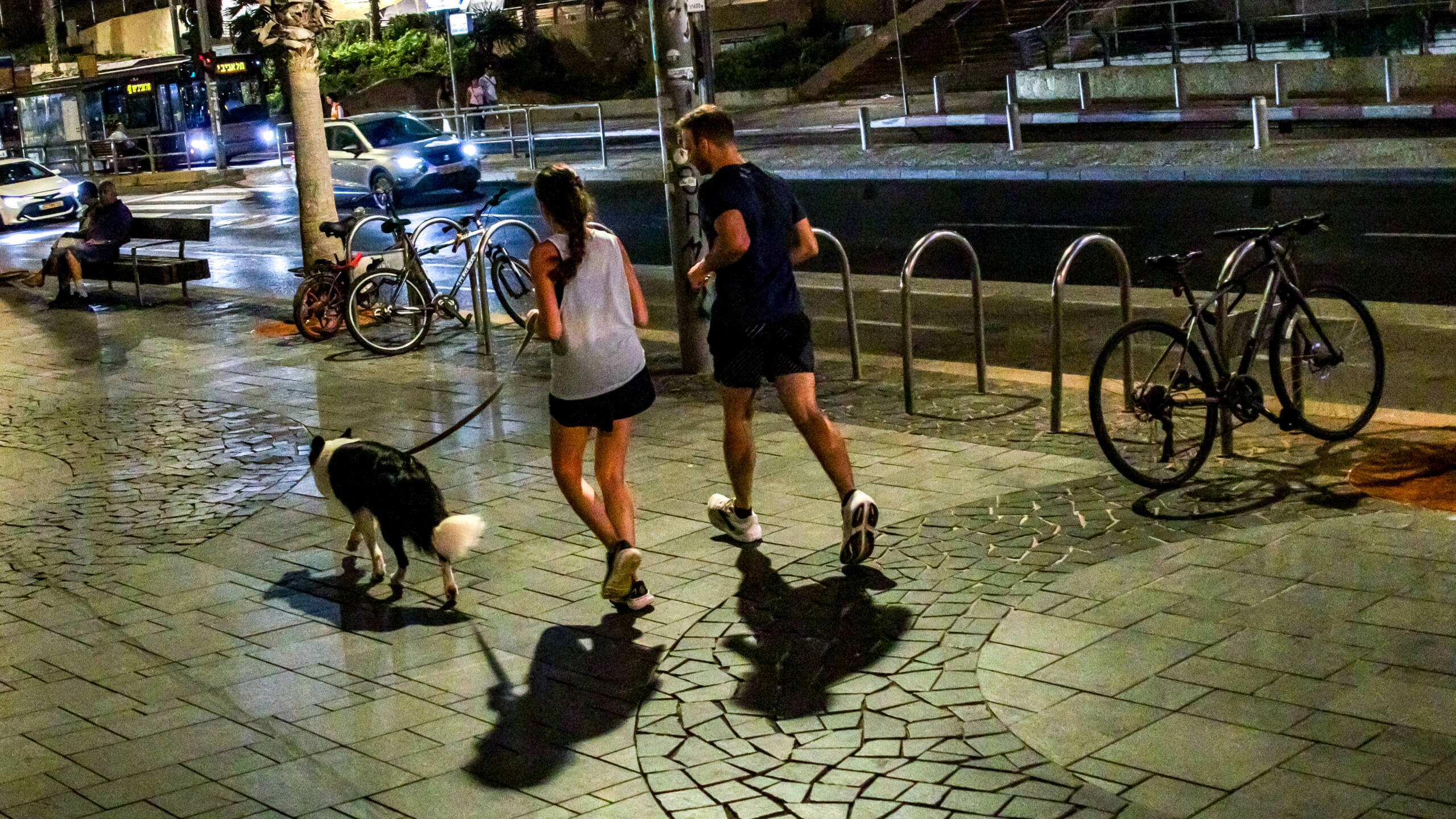
Mixed lighting is the normal state of a city at night. Older sodium lamps glow orange, newer LED street lights run cool or neutral, shopfronts and bus shelters add their own colour, and some fluorescent sources throw green. The camera has to pick one white balance for the whole frame, and no single setting makes all of it neutral.
Auto White Balance Averages It Out
Leave the camera on auto and it takes something like an average of every source. The result often matches none of them. Skin goes slightly green under one light and orange under another, and the picture looks muddy without anything obviously wrong. Shoot raw so you can make the choice later with the full data.
Choose What Gets to Be Neutral
You can’t fix all the light, so decide which part of the frame should look right. Usually that’s the main subject, and specifically the light falling on them. Everything else keeps its colour cast, which is fine. A warm background behind a neutral subject reads as atmosphere.
This frame gives you a gift for that: the dog. A border collie’s white fur, where it’s lit by the same light as the runners and isn’t blown out, is a ready-made neutral reference. Click it with the white balance eyedropper in your raw editor and see what the frame does. If it swings too cold, back the temperature off a little. White fur, a white shirt or a pale concrete surface all work as targets.
Fix the Green Separately
Green casts don’t sit on the temperature slider. They’re on the tint axis. Pull tint toward magenta to cancel them, and do it with a local adjustment if the green comes from one light source in one part of the frame. Masking tools in current raw editors let you set a separate white balance for a region, so the bus shelter can stay green while the runners come back to normal.
Or Keep the Colour
Sometimes the right answer is to leave it. The mix of green, blue and orange here is part of what makes the scene look like a city at night, and the wet ground doubles every colour. Correct the skin just enough that it doesn’t look ill, and leave the rest. If the colours still fight, convert to black and white and let the reflections carry the picture.